Skip to content

Fatih Acar's blog

About of Database Systems and Information Technologies

Menu
  • Home
  • About Me
  • Contact Me
Menu

Create Dblink From Oracle to PostgreSQL Database

Posted on 23/08/201613/10/2016 by Fatih Acar

Since fetching data from PostgreSQL database to Oracle database, you can create database link between two database systems. For that you can apply below operations.

Test Systems

PostgreSQL DB
IP : 192.168.10.10
OS : Centos 7 x64
Service : postgresql.service

Oracle DB
IP : 192.168.10.20
OS : OEL 6 x64
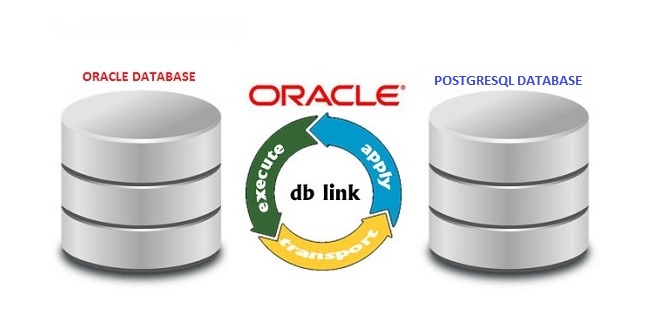
dblinkoracletopostgresql

PostgreSQL Side

psql# create user dblinkuser encrypted password ‘dblinkuserpass’;

psql# grant usage on schema “testschema” to dblinkuser;

psql# grant select on “testschema”.tbl_test to dblinkuser;

Add new line to pg_hba.conf

vi /pgdir/data/pg_hba.conf

host testdb dblinkuser 192.168.10.20/32 md5

systemctl reload postgresql.service

Oracle Side

yum install postgresql-odbc

vi /etc/odbc.ini

[PG]
Description = PG
Driver = /usr/lib64/psqlodbc.so
ServerName = 192.168.10.10
Username = dblinkuser
Password = dblinkuserpass
Port = 5432
Database = testdb
[Default]
Driver = /usr/lib64/liboplodbcS.so

vi $ORACLE_HOME/hs/admin/initPG.ora

# This is a sample agent init file that contains the HS parameters that are
# needed for the Database Gateway for ODBC

#
# HS init parameters
#
HS_FDS_CONNECT_INFO = PG
HS_FDS_TRACE_LEVEL = 0
HS_FDS_SHAREABLE_NAME = /usr/lib64/psqlodbc.so
HS_LANGUAGE = AMERICAN_AMERICA.WE8ISO8859P9
#
# ODBC specific environment variables
#
set ODBCINI=/etc/odbc.ini

#
# ODBC specific environment variables
#

#
# Environment variables required for the non-Oracle system
#
#set =

vi $ORACLE_HOME/network/admin/tnsnames.ora

PG =
(DESCRIPTION =
(ADDRESS = (PROTOCOL = TCP)(HOST = 192.168.10.20)(PORT = 1521))
(CONNECT_DATA =
(SID = PG)
)
(HS = OK)
)

vi $GRID_HOME/network/admin/listener.ora

SID_LIST_LISTENER =
(SID_LIST =
(SID_DESC =
(SID_NAME=PG)
(ORACLE_HOME=/oracle/db/11.2.0/db_home)
(PROGRAM=dg4odbc)
)
)

lsnrctl reload

Listener reload can be adacuate to apply changes;but, sometimes not.

lsnrctl stop
lsnrctl start
lsnrctl status

Create Database Link on Oracle

CREATE DATABASE LINK PG
CONNECT TO “dblinkuser”
IDENTIFIED BY ‘dblinkuserpass’
USING ‘PG’;

Test

select * from “testschema”.”tbl_test”@PG

Share this:

  • Click to share on LinkedIn (Opens in new window) LinkedIn
  • Click to share on X (Opens in new window) X
  • Click to share on Facebook (Opens in new window) Facebook

4 thoughts on “Create Dblink From Oracle to PostgreSQL Database”

  1. PK says:
    23/01/2017 at 14:12

    I’m trying to connect from oracle database to aws rds postgresql.
    AWS rds postgresql instances will not have OS level access, when trying to connect getting following errors.
    Any idea what these errors are?

    ==
    SQL> select * from names@pg;

    select * from names@pg
    *
    ERROR at line 1:
    ORA-28500: connection from ORACLE to a non-Oracle system returned this message:
    FATAL: password authentication failed for user “abcd”
    {08001,NativeErr = 113}
    ORA-02063: preceding 3 lines from PG
    ==

    Reply
    1. PK says:
      24/01/2017 at 03:02

      I could figure out the issue, wrong password was used to create the DB link.
      Issues is fixed now.

      Reply
  2. Ballat Marc says:
    29/01/2018 at 18:04

    Hi,

    Google Apps Script does not support connection to Postgresql (unless in Google Cloud). It does support connection to Oracle. Does it make sense to develop the tables, views and triggers in Postgres and access them through Oracle Express/dblink ? I don’t know the implications in terms of performance, security and type compatibility. This would be temporary, the time for me to rewrite my GAS spreadsheets using node.js and jQuery.

    I would appreciate if someone can shed some light on this.

    Thx, Marc

    Reply
  3. Stephanie says:
    03/12/2018 at 16:04

    Im trying to configure db link to a postgress cluster the same thing you have done only with port=9999 and oracle us throwing me an error, what can i do?
    Thanks stepg

    Reply

Leave a Reply Cancel reply

Your email address will not be published. Required fields are marked *

Time limit is exhausted. Please reload CAPTCHA.


View Fatih ACAR's profile on LinkedIn

Categories

  • Databases (329)
    • MsSQL Server (18)
      • Administration (16)
      • Errors and Solutions (4)
      • SQL (2)
    • MySQL (5)
      • Administration (4)
      • Backup And Recovery (1)
      • Errors and Solutions (1)
    • Oracle (290)
      • Administration (79)
      • Backup And Recovery (29)
      • Errors and Solutions (195)
      • Procedure (10)
      • SQL (32)
    • PostgreSQL (16)
      • Administration (15)
      • Errors and Solutions (3)
      • SQL (2)
    • Redis (1)
  • Microsotf Dynamics CRM (1)
  • Operating Systems (47)
    • Linux & Unix (34)
    • Windows (13)
  • Programing (5)
    • Python (5)
  • SAP (15)
    • Errors and Solutions (4)
    • SAP Basis (12)
  • Security (8)
    • Database Security (6)
    • Information Security (1)
    • System Security (4)
  • VMware (4)

Recent Posts

  • Redis 7 Sentinel Infrastructure Installation
  • Oracle Database 19c Multi Data Guard and DML Redirect, Switchover-Failover Operations on Oracle Linux 8
  • Oracle Database 23ai Free Installation Steps on Oracle Linux 9
  • Oracle Database 19c Active Data Guard Installation and DML Redirect, Switchover-Failover Operations on Oracle Linux 8
  • Oracle Database 19c Installation and 19.22 RU Patch Apply on Oracle Linux 8

Resources

  • Oracle
  • PostgreSQL

Blogroll

  • Gökhan Atıl
  • H. Koray Gündüz
  • Hakan Talip Öztürk
  • Zekeriya Beşiroğlu

Web Pages

  • BT Çözümleri

Tag Cloud

Administration Backup and Recovery Cluster Systems Database Administration Database Security Linux Linux Administration MsSQL Server MsSQL Server Error and Solutions MySQL MySQL Administration ORA-00018 ORA-00020 Oracle Oracle 12c Oracle 19c Oracle Administration Oracle Backup and Restore Oracle Data Guard Oracle Data Guard Failover Oracle Data Guard Switchover Oracle Error Solutions Oracle Linux Oracle Rman Backup Oracle Security Oracle SQL Query PostgreSQL PostgreSQL Administration PostgreSQL High Availability PostgreSQL Hot Standby Python SAP Basis Sap Errors and Solutions Sap System Administration SQL SQL Server Administration SQL Server Availability Group Stored Procedure System Administration System Security VMware VMware Administration Windows Windows Batch Script Windows Server

Social

  • View facar1987’s profile on Twitter
  • View facar’s profile on LinkedIn

Subscribe to Blog via Email

Enter your email address to subscribe to this blog and receive notifications of new posts by email.

Join 17 other subscribers
©2026 Fatih Acar's blog | Built using WordPress and Responsive Blogily theme by Superb