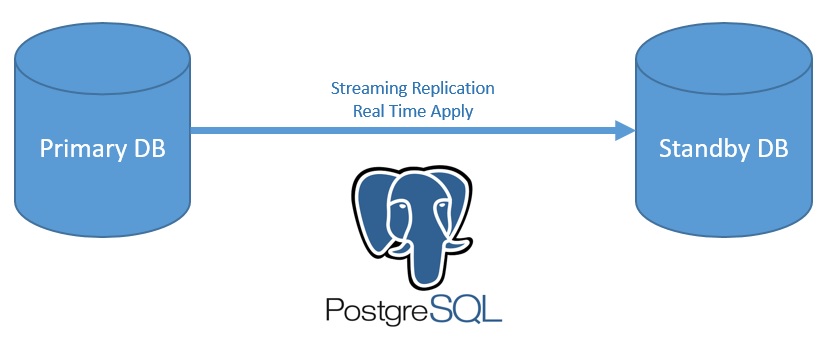
PostgreSQL has few feature for standby technology. I generally use streaming replication. This is very easy and confident. Streaming replication use a replication user for replication operations.Streaming replication allows a standby server to stay more up-to-date than is possible with file-based log shipping. The standby connects to the primary, which streams WAL records to the standby as they’re generated, without waiting for the WAL file to be filled.
Streaming replication is asynchronous by default, in which case there is a small delay between committing a transaction in the primary and the changes becoming visible in the standby.
If you use streaming replication without file-based continuous archiving, the server might recycle old WAL segments before the standby has received them. If this occurs, the standby will need to be reinitialized from a new base backup. You can avoid this by setting wal_keep_segments to a value large enough to ensure that WAL segments are not recycled too early, or by configuring a replication slot for the standby. If you set up a WAL archive that’s accessible from the standby, these solutions are not required, since the standby can always use the archive to catch up provided it retains enough segments.
PostgreSQL 12 New Standby Structure
recovery.conf file is no longer used. Parameters will write in postgresql.conf file and postgresql.auto.conf file. Some parameter names changed. trigger_file parameter has been changed to promote_trigger_file. standby_mode parameter is no longer used. standby.signal file will use to determine standby database.
Also, you can change parameters with ALTER SYSTEM command. Reload is adequate to apply changes for archive_cleanup_command, promote_trigger_file, recovery_end_command, recovery_min_apply_delay parameters. You can reload database with psql -c “select pg_reload_conf()” or PSQL> select pg_reload_conf(); or systemctl reload postgresql-12.service commands.
Test Systems Features
PG Version : 12.1
Primary DB IP : 192.168.10.11
Pimary DB Hostname : pg01
Hot Standby DB IP : 192.168.10.12
Host Standby DB Hostname : pg02
Virtual Service IP : 192.168.10.10
OS : Centos 7 x64
Data directory : /pgdata/data
Archive direcytory : /pgdata/ARCHIVELOG
1- Keygen Generate And Copy
[postgres@pg01 ~] ssh-keygen -t rsa
[postgres@pg02 ~] ssh-keygen -t rsa
[postgres@pg01 ~] ssh-copy-id -i .ssh/id_rsa.pub postgres@pg02
[postgres@pg02 ~] ssh-copy-id -i .ssh/id_rsa.pub postgres@pg01
2- Create Streaming Replication User on Primary DB
psql# createuser -U postgres -p 5432 repuser -P –replication
3- Primary DB pg_hba.conf configuration
[root@pg01 ~] vi /pgdata/data/pg_hba.conf
Add below line
host replication repuser 192.168.10.12/32 md5
[root@pg01 ~] systemctl reload postgresql-12.service
4- Create Wal Archive Directory on Standby Server
[root@pg02 ~] mkdir -p /pgdata/ARCHIVELOG
5- Configure postgresql.conf on Primary DB
[root@pg01 ~] vi /pgdata/data/postgresql.conf
Parameters change like below
listen_addresses = ‘192.168.10.10’
archive_mode = on # enables archiving; off, on, or always
archive_command = ‘rsync -a %p postgres@192.168.10.12:/pgdata/ARCHIVELOG/%f’[root@pg01 ~] systemctl restart postgresql-12.service
6- Take basebackup
You can use pg_basebackup while primary db is start or stop. Stop status is more confident.
/pgdata/data directory has to be empty on standby server. pg_basebackup command will fill up that directory and will create postgresql.auto.conf and standby.signal file.
[postgres@pg02 ~] /usr/pgsql-12/bin/pg_basebackup -h 192.168.10.10 -D /pgdata/data -U repuser -p 5432 -v -P –wal-method=stream –write-recovery-conf
7- Postgresql.conf configuration on Standby Server
Primary DB configuration has to be disabled with # mark.
listen_address = ‘*’
#archive_mode = on
#archive_command = ‘rsync -a %p postgres@192.168.10.12:/pgdata/ARCHIVELOG/%f’
restore_command = ‘cp /pgdata/ARCHIVELOG/%f %p’ # e.g. ‘cp /mnt/server/archivedir/%f %p’
archive_cleanup_command = ‘/usr/pgsql-12/bin/pg_archivecleanup /pgdata/ARCHIVELOG %r
If you want to delay to apply committed values. You can use recovery_min_apply_delay parameter.
recovery_min_apply_delay = 5min
This parameter provides 5 minutes delay. When you commit a transaction at primary side, hot standby will apply this transaction 5 minutes later.
8- Check postgresql.auto.conf file on Standby Server
[root@pg02 ~] more /pgdata/data/postgresql.auto.conf
primary_conninfo = ‘user=repuser password=yourpass host=192.168.10.10 port=5432 sslmode=prefer sslcompression=0 gssencmode=prefer krbsrvname=postgres target_session_attrs=any’
9- Start Hot Standby PostgreSQL Service
[root@pg02 ~] systemctl start postgresql-12.service
10- Test
Primary DB
Replication check
psql# select * from pg_stat_replication ;psql# create table test (name text);
psql# insert into test values(‘Fatih Acar’);Hot Standby DB
Receiver check
psql# select * from pg_stat_wal_receiver;Receiver process check
ps -ef | grep receiver
postgres 20936 20919 0 17:04 ? 00:00:00 postgres: walreceiver streaming 0/9000268psql# select * from test;
name
———–
Fatih Acar
Failover Operations
We have 3 methods to do failover operation.
Step 1
Method 1
Create /pgdata/data/failover.uygula file that is wrote in postgresql.conf file promote_trigger_file parameter.
Standby DB will be primary db (read-write mode) when promote_trigger_file exist.
Also, you can see standby.signal file disappear.
Method 2
If you want to use pg_ctl promote or to call pg_promote to failover operation, promote_trigger_file is not required.
[postgres@pg02 ~] pg_ctl promote -D /pgdata/data/
waiting for server to promote…. done
server promoted
Method 3
psql# select pg_promote();
pg_promote
—————
t
(1 row)
Step 2
If you use virtual service IP address for primary database, you can take virtual service IP on Standby Server
ifconfig eth0:0 192.168.10.10 netmask 255.255.255.0
Source : www.postgresql.org